- 1.Download & Installation
- 2.Multiple computers
- 3.Get Started
- 4.Deployment mode
- 5.Sales
- 6.Purchase
- 7.Inventory
- 8.Finance
- 9.Settings
- 10.Industry-specific features
- 12.FAQ
9.3.8 Other computers use the same printing template
After one computer modifies the print template, if you need to apply it to other computers, just copy the folders of the print template to the corresponding directory of the other computer to overwrite.
Step 1: Copy the folders of the print template
[SETTINGS]-[Print Templates]
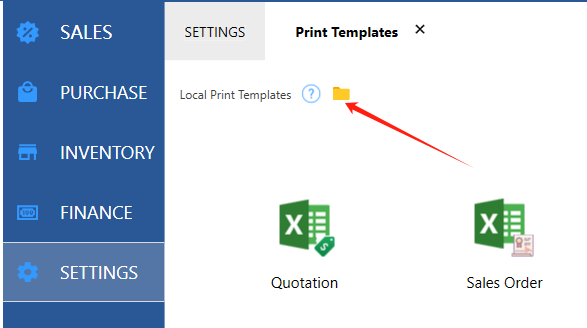
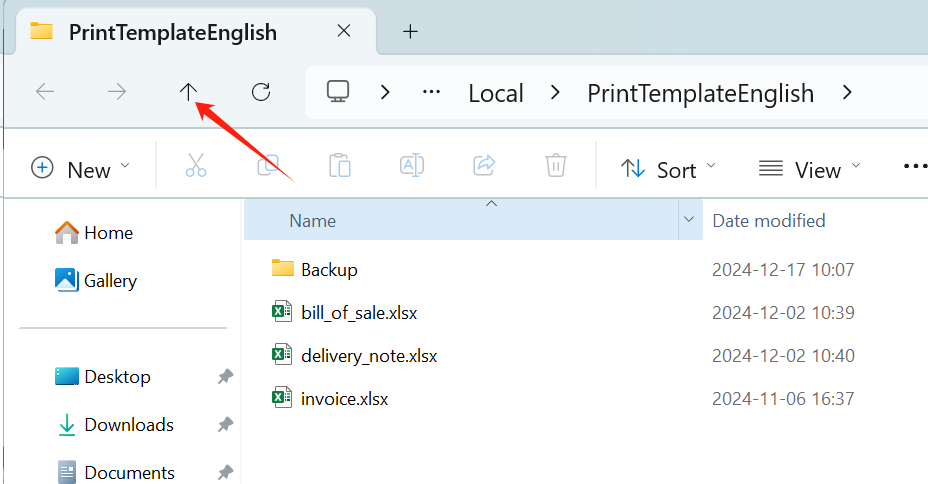
Go up one directory
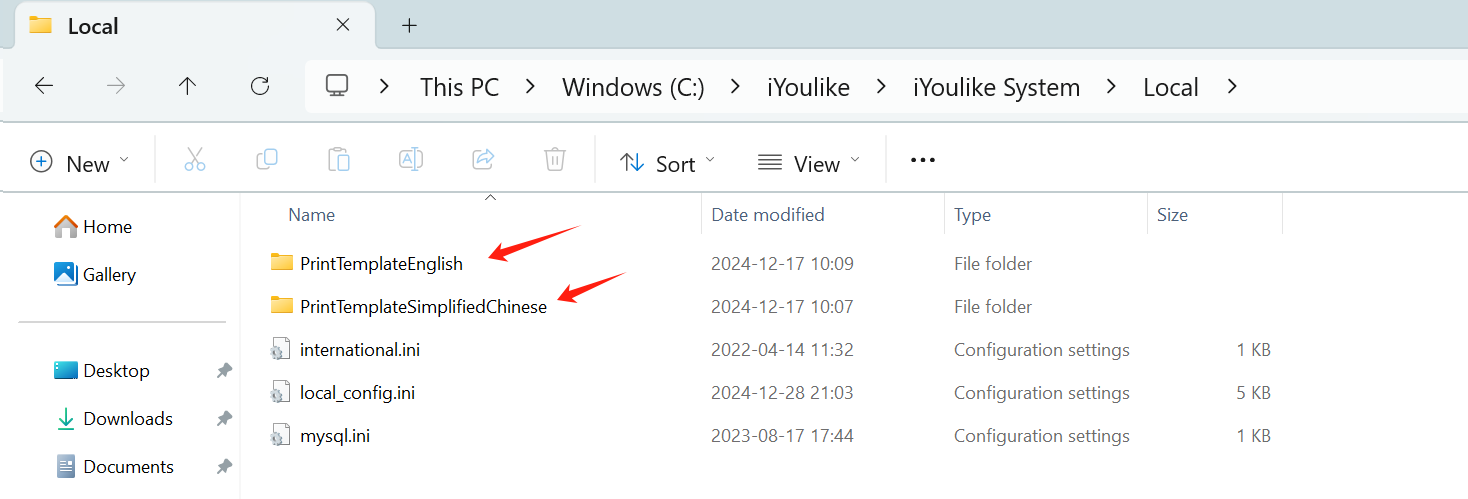
In the Local folder under the installation directory of iYoulike System, you will see one or more folders starting with PrintTemplate. Copy all the folders starting with PrintTemplate to the USB drive.
Step 2: Paste and replace the folders on another computer
On another computer, open the iYoulike System installation directory, and then open the folder Local.
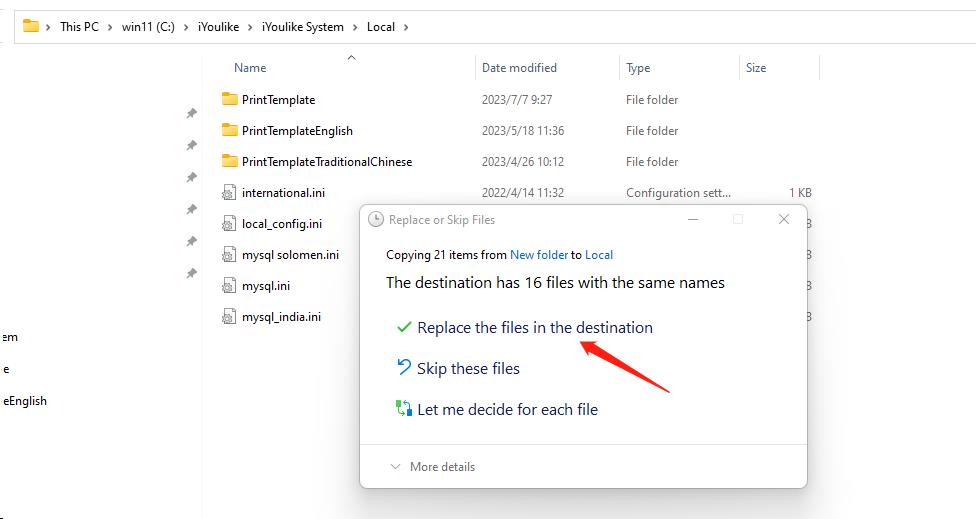
Paste the three folders from step 1 into this directory and replacethe folders.
This is it.