- 1.Download & Installation
- 2.Multiple computers
- 3.Get Started
- 4.Deployment mode
- 5.Sales
- 6.Purchase
- 7.Inventory
- 8.Finance
- 9.Settings
- 10.Industry-specific features
- 12.FAQ
9.3.7 Other languages also use the same printing templates
Each language of the system has its own set of independent printing templates, that is, when the system language is English, there is a set of English printing templates, and when the system language is Chinese, there is a set of Chinese printing templates.
But if you want to use a print template in English under the system language of Chinese, how to achieve it?
It is very simple, just copy the files directly and paste it into the specified directory.
Step 1: Open the Local folder in the iYoulie System installation directory
[SETTINGS] - [Print Templates]
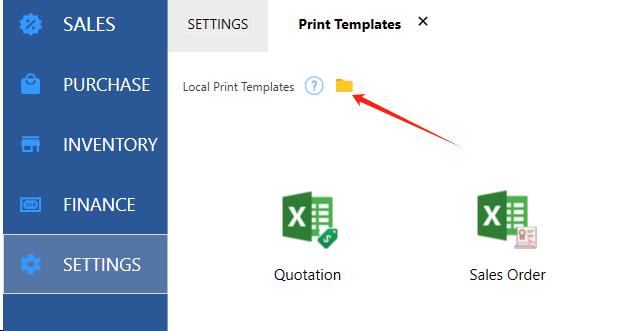
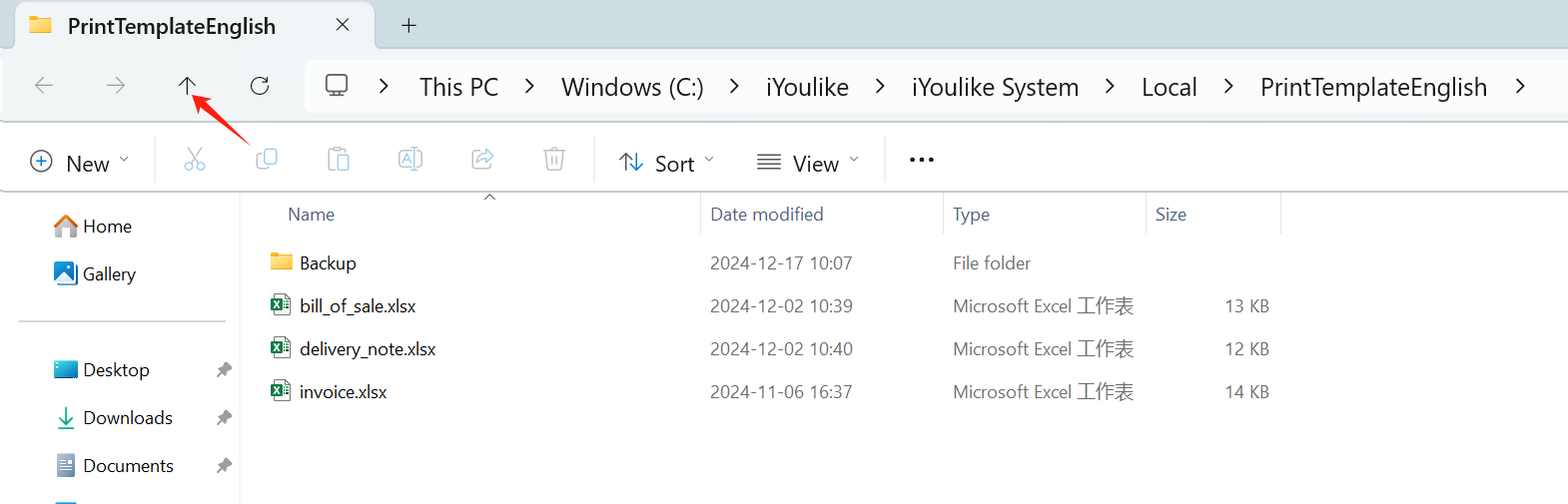
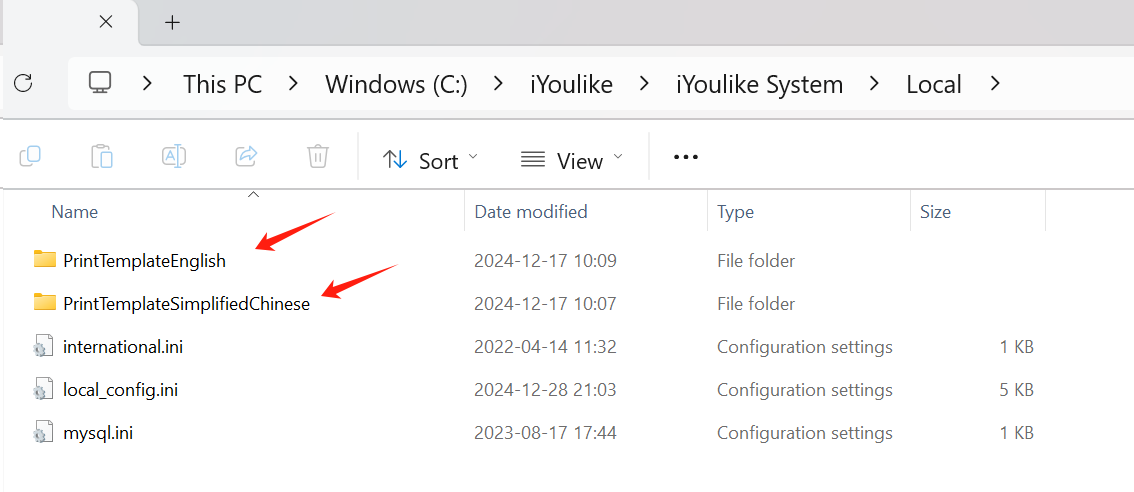
PrintTemplateEnglish:English Print template file.
PrintTemplateSimplifiedChinese:Chinese Simplified print template files.
PrintTemplateTraditionalChinese:Chinese Traditional print template files.
Step 2: Copy the print template files
For example, you need to copy the English print template file to the Chinese Simplified.
Open the folder PrintTemplateEnglish
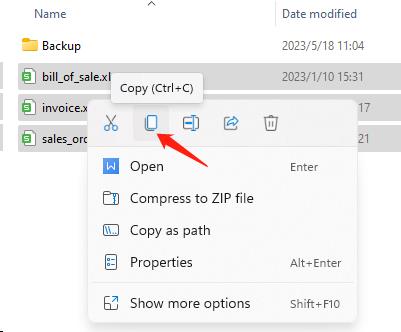
select all Excel files and copy them.
Step 3: Paste the files
If you need to put it under the Chinese Simplified, open the folder PrintTemplateSimplifiedChinese
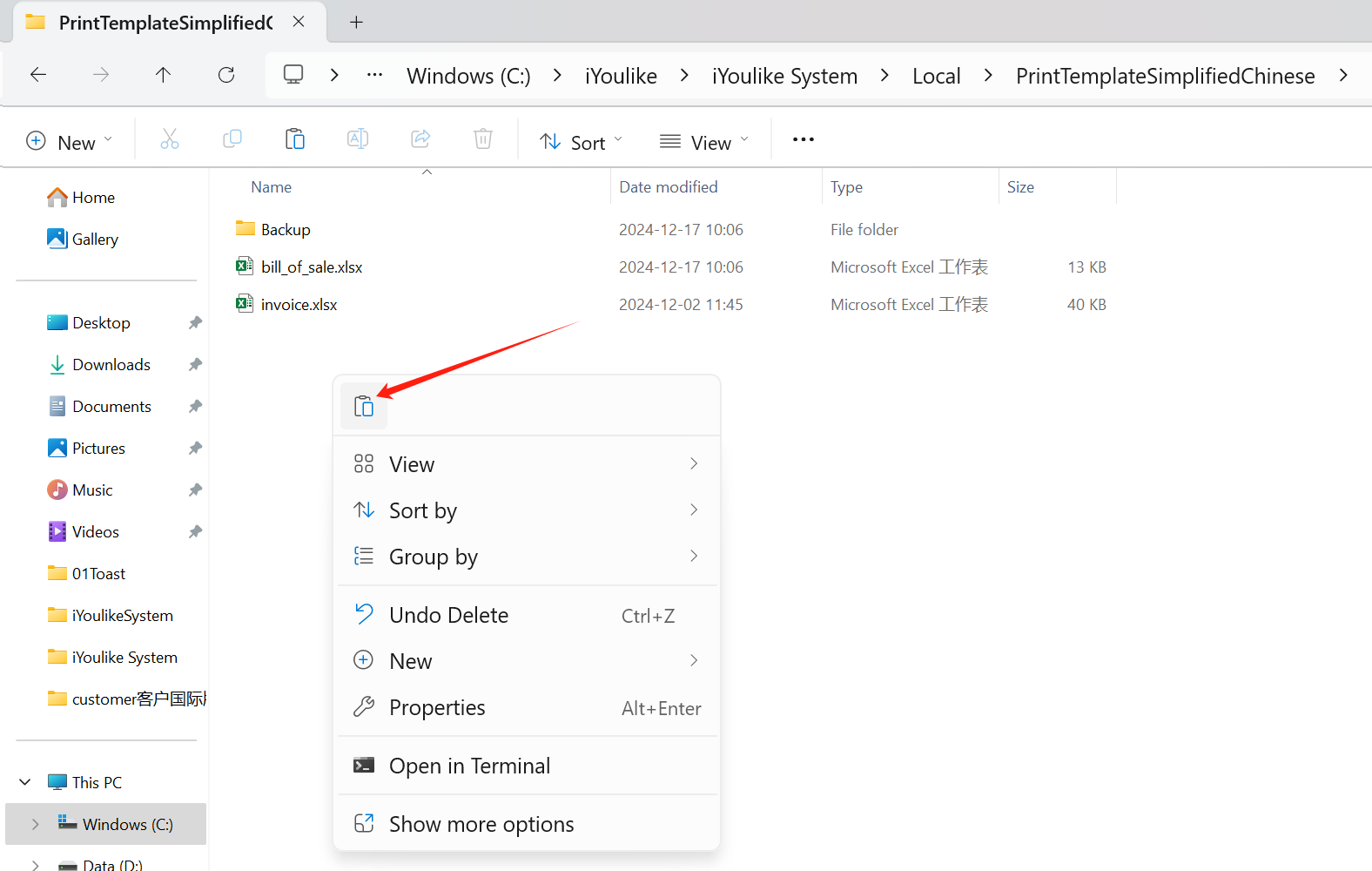
Paste and replace
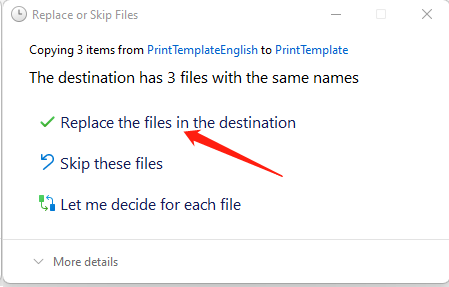
That's it.